


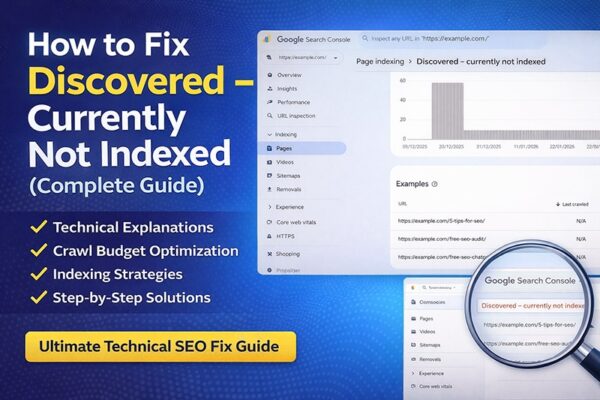
How to Fix “Discovered – Currently Not Indexed” in Google Search Console
“Discovered – currently not indexed” means Google has found your page but hasn’t crawled or indexed it yet. This usually happens due to low crawl priority, weak content, or technical SEO issues. To fix it, improve content quality, strengthen internal linking, and request indexing in Google Search Console.
If your page is stuck in the “Discovered – currently not indexed” status, it means Google knows your page exists but is not prioritizing it for indexing. This guide will help you understand why this happens and how to fix it quickly.
How to Fix “Discovered – Currently Not Indexed” (Quick Steps)
- Improve content quality and uniqueness
- Add internal links from indexed pages
- Update and resubmit your XML sitemap
- Request indexing in Google Search Console
- Improve crawl budget and website speed
Solve "Discovered – Currently Not Indexed Problem"
Step-by-step solutions used by SEO professionals to get pages crawled and indexed faster in Google Search Console.
If you run a website or blog, you may have seen the status "Discovered – Currently Not Indexed" in Google Search Console. You publish new content, Google finds the URL — but the page never appears in search results.
This guide explains why this happens and how to fix it step-by-step using proven technical SEO strategies used by professionals in the USA and globally.
- What Discovered – Currently Not Indexed means
- Why Google delays crawling your pages
- How crawl budget and technical SEO affect indexing
- Proven methods to get your pages indexed faster
What "Discovered – Currently Not Indexed" Means
This status in Google Search Console indicates that Google has discovered your page through a sitemap or internal link but has not crawled it yet. It is usually a sign that Google does not consider the page a high priority for indexing.
When Google labels a page "Discovered – Currently Not Indexed", it means:
- Google knows the URL exists
- Google has not crawled the page yet
- The page is waiting in Google's crawl queue
This typically happens when Google finds URLs from:
- XML sitemaps
- Internal links
- External backlinks
- Canonical tags
- Website navigation
Common Reasons for This Issue
- Low-quality or thin content
- Weak or no internal linking
- Large number of URLs (crawl budget limitations)
- Slow website performance
- Duplicate or similar pages
Discovered vs. Crawled — What's the Difference?
Many SEO beginners confuse these two statuses. The fixes for both issues are different, which is why understanding this distinction is critical.
| Status | Meaning | Type |
|---|---|---|
| Discovered – Currently Not Indexed | Google has not crawled the page yet | Crawl Issue |
| Crawled – Currently Not Indexed | Google crawled it but chose not to index | Content Issue |
Why Google Shows "Discovered – Currently Not Indexed"
Quick Answer: Google prioritizes crawling based on site authority, content quality, and internal linking. If your page lacks strong signals, it may remain unindexed even after being discovered.
There are several common reasons why this problem occurs. Identifying your specific cause is the fastest path to a fix.
Deep Dive Crawl Budget Limitations
Google assigns every website a crawl budget — the number of pages Googlebot crawls within a specific time. This problem is very common on ecommerce sites, large blogs, and news websites.
If your website has thousands of URLs, duplicate pages, parameter URLs, or thin content, Google may delay crawling new pages. Example of URL bloat wasting crawl budget:
# These all create separate URLs that waste crawl budget example.com/shoes?color=red example.com/shoes?color=blue example.com/shoes?size=10 example.com/shoes?size=10&color=redDetail Weak Internal Linking
If a page has very few internal links, Google considers it low priority. A blog post that is 4–5 clicks deep in the site structure may stay undiscovered for weeks.
Google prioritizes pages that are:
- Linked from the homepage
- Linked from category pages
- Part of strong topic clusters
Detail Server Performance Issues
If your website has slow server response time, Google reduces crawling. Important factors include TTFB (Time To First Byte), server overload, shared hosting limitations, and CDN configuration. When Google detects slow servers, it protects your server by reducing crawl rate.
How to Fix "Discovered – Currently Not Indexed Issue
Work through these fixes systematically. Most sites see improvement within 2–4 weeks.
Improve Content Quality
Ensure your content is original, detailed, and provides real value to users. Avoid thin or duplicate content.
Improve Internal Linking
Link your page from high-authority, already indexed pages on your website. This helps Google discover and prioritize it.
Submit and Update XML Sitemap
Make sure your page is included in your XML sitemap and resubmit it in Google Search Console.
Best practices:
- Include only important pages
- Remove noindex pages
- Remove redirect URLs
- Remove 404 pages
Submit your sitemap in Google Search Console under Indexing → Sitemaps
https://example.com/sitemap.xmlRequest Indexing
Use the URL Inspection tool in Google Search Console to manually request indexing.
Open Google Search Console → URL Inspection → Request Indexing. This directly signals to Google that a page is ready and should be prioritized in the crawl queue.
Improve Crawl Budget
Reduce unnecessary pages and improve site speed so Googlebot can crawl more efficiently.
Use robots.txt to prevent Googlebot from crawling low-value pages:
User-agent: * Disallow: /tag/ Disallow: /search/ Disallow: /*?filter=Improve Website Speed
Google crawls faster on fast websites. Key performance targets:
- TTFB (Time To First Byte) under 200ms
- Fast, dedicated hosting
- Optimized and compressed images
- CDN usage for global reach
- Browser caching enabled
Recommended tools: Google PageSpeed Insights · GTmetrix · WebPageTest
Build Quality Backlinks
Backlinks from authoritative external websites increase crawl demand. Effective methods:
- Guest posts on industry blogs
- Resource page link building
- Digital PR and media coverage
- Competitor backlink analysis and outreach
Avoid Thin Content
Google avoids crawling and indexing pages it considers low-quality. Avoid publishing:
- AI-generated thin articles without original value
- Duplicate category pages
- Short blog posts under 300 words
Reduce URL Depth
Keep important pages close to the homepage. Google prioritizes shallow page depth:
Homepage └── Category Page └── Article / Product PageMonitor Crawl Stats in Google Search Console
Track Googlebot's crawl activity at: Settings → Crawl Stats. Watch for drops in crawl rate, server response errors, and crawl request patterns over time.
Real Example
For example, if you publish a new blog post but do not link it from any existing pages, Google may discover it through your sitemap but delay indexing due to low priority. Adding internal links can speed up indexing significantly.
How Long Does It Take for Google to Index a Page?
Indexing can take anywhere from a few hours to several weeks. It depends on your website authority, crawl budget, and content quality.
Advanced Tips to Improve Indexing
- Improve website loading speed
- Build backlinks to the page
- Use proper canonical tags
- Remove low-value or duplicate pages
Best Indexing Strategy — Step by Step
Follow this sequence for every new piece of content you publish:
Final Thoughts
The "Discovered – Currently Not Indexed" issue is usually caused by crawl budget limitations, weak internal linking, poor site structure, or low domain authority.
By improving technical SEO, crawl efficiency, and content quality, you can significantly increase your indexing rate. The fixes above work for WordPress sites, Shopify stores, and any CMS.
Learn Advanced Technical SEO
Everything you need to audit, fix, and optimize your website for maximum Google visibility.
- Technical SEO audits
- Crawl budget optimization
- Page speed optimization
- AI-powered SEO strategies
- Fixing all indexing issues
Frequently Asked Questions
Google has found the page URL — via a sitemap, internal link, or backlink — but has not yet crawled or visited the page. It is sitting in Google's crawl queue.
It may last hours, days, or weeks depending on your site's crawl demand, authority, and server performance. High-authority sites often resolve this within hours. New sites may wait several weeks.
Not always. New pages often show this status temporarily. It becomes a problem when important pages stay in this state for weeks, as they cannot rank in search results.
Yes. Slow websites reduce crawl efficiency. If Googlebot encounters slow server response times (TTFB), it reduces crawl rate to avoid overloading the server.
In Google Search Console, navigate to Settings → Crawl Stats. This report shows crawl request volume, response times, and file type breakdown over the past 90 days.
Get Your Free SEO Audit Report
Find out exactly what's holding your website back from ranking on page one.
Get My Free SEO Audit →👉 Freelance SEO Expert in Delhi
👉 How to Fix “Crawled – Currently Not Indexed” in Google Search Console
Kashif Rehman — Online Digital Marketing, Freelance WordPress Website Designer, Google Ads, Facebook Ads, SEO Teacher & Expert in Delhi, India.
About Author

I’m Kashif Rehman, an online digital marketing teacher SEO Expert , and freelance digital marketing professional in Delhi with over 6+ years of hands-on experience in helping individuals, entrepreneurs, and working professionals master digital marketing through 1-on-1 live digital marketing coaching.

